Webflow vs WordPress: Why We Switched, and Why You Probably Should Too

Let's talk about something a lot of web designers and brand owners quietly complain about but rarely say out loud: WordPress is kind of a mess. And if you've been running your outdoor brand's website on it, there's a good chance you've felt the frustration. Slow load times, plugin conflicts, update anxiety, security patches, clunky editors, a theme marketplace that looks like it was designed in 2011. As a Webflow web design agency, we made the switch years ago and have never looked back. Here's the full story on why.
The WordPress Reality Check
WordPress powers roughly 43% of the internet, which sounds impressive until you realize that number includes everything from abandoned blogs to enterprise CMS platforms duct-taped together with seventeen plugins. The platform wasn't built for modern web experiences. It was built for publishing articles in 2003, and every update since has been layered on top of that foundation like geological sediment.
For outdoor and adventure brands, this matters a lot. Your audience is mobile-first. They're checking your site from a trailhead, in a van, at a gear shop. They expect pages to load fast and look sharp. A bloated WordPress site with four caching plugins trying to compensate for a poorly optimized theme is not the experience your brand deserves.
Here's a short list of the recurring headaches we've seen WordPress create for our clients before they switched:
- Plugin conflicts that break the site after routine updates
- Page builders (Elementor, Divi, WPBakery) that generate bloated, hard-to-maintain code
- Security vulnerabilities that require constant monitoring and patching
- Slow Core Web Vitals scores that hurt SEO and user experience
- Designers and developers needing to fight the platform just to execute a clean layout
- Hosting costs that creep up as you add more performance-related plugins
None of this is a knock on the developers who work within WordPress. Some of them do incredible things. But the platform itself creates friction at every step, and friction is the enemy of good brand experiences.

What Webflow Actually Is (And Why It's Different)
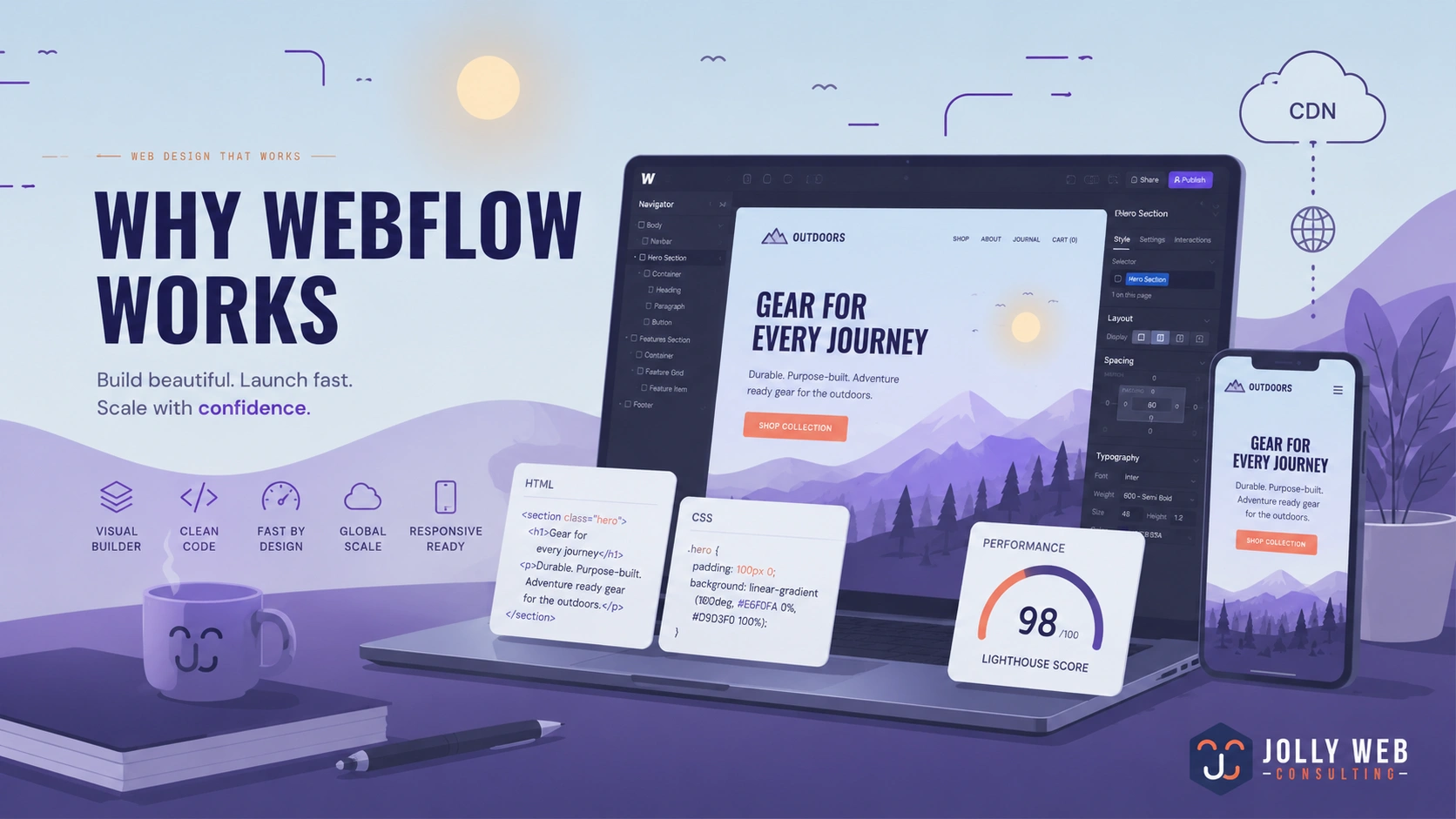
Webflow is a visual web development platform that generates clean, semantic HTML, CSS, and JavaScript. The key word there is clean. There's no page builder plugin translating your drag-and-drop moves into twelve nested divs of questionable purpose. The code Webflow outputs is the kind of code a thoughtful developer would write by hand.
It also hosts your site on a global CDN with enterprise-grade infrastructure out of the box. No choosing a hosting tier, no server configuration, no WP Rocket settings to agonize over. The performance baseline is just... good.
For adventure and outdoor brands that invest heavily in visual identity, Webflow is a natural fit. You can build layouts that actually honor your photography and product design without compromising on load speed or code quality.
The Head-to-Head Breakdown
Here's a direct comparison across the dimensions that matter most for brand-driven websites:
Speed Benchmarks: The Numbers Don't Lie
Performance matters more than ever for SEO. Google's Core Web Vitals are a direct ranking factor, and slow sites pay a real penalty in search visibility and bounce rate.
In real-world testing across comparable sites, Webflow consistently outperforms WordPress setups that rely on page builders. A WordPress site with Elementor and WooCommerce might clock a Time to First Byte (TTFB) of 800ms to 1.2 seconds with typical shared hosting. A Webflow site running on the same content type routinely hits TTFB under 200ms, thanks to its native CDN infrastructure.
Largest Contentful Paint (LCP), which measures how fast your main content renders and is one of the most critical Core Web Vitals scores, tends to fall comfortably under 2.5 seconds on Webflow without any special configuration. Getting WordPress to the same benchmark often requires a full performance audit, a caching plugin, a CDN integration, image optimization tooling, and a lot of prayer.
For outdoor brands whose hero images are shot by professional photographers and whose product photography is a core part of the sales experience, this stuff is not optional.
SEO Features: Built In vs Bolted On
WordPress SEO is almost entirely plugin-dependent. Yoast and RankMath are both solid tools, but they're compensating for a platform that wasn't architected with modern SEO in mind. You're layering SEO functionality onto a foundation that generates messy markup and requires extra work to get clean heading structures, schema, and metadata right.
Webflow has SEO controls built into the platform at a structural level. Every page has native title tag and meta description fields. You can set canonical URLs, control indexing on a per-page basis, customize OG tags for social sharing, and add alt text to images directly in the editor. The CMS collections, which are how Webflow handles dynamic content like blog posts or product pages, automatically generate clean URL structures and allow for templated SEO fields that scale without manual input.
The HTML output is also cleaner, which means crawlers can parse your content more efficiently. For brands that are actively building an SEO presence, this structural advantage compounds over time.
A Real-World Example
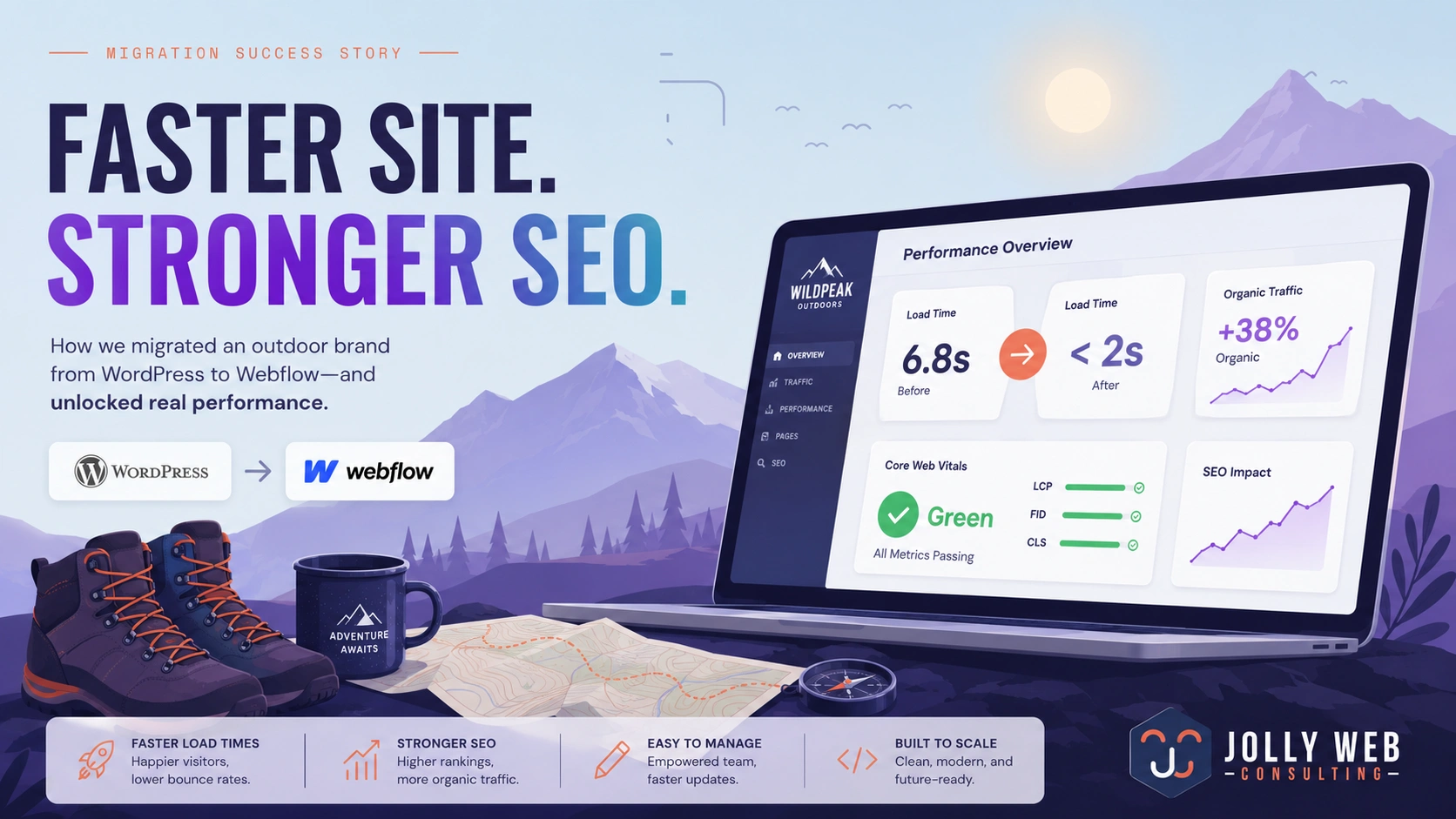
One outdoor gear brand we worked with came to us running a WordPress site that had been built by three different developers over five years. It had 42 active plugins. Load time on mobile was sitting around 6.8 seconds. Their organic traffic had been flat for two years despite consistent content production.
We rebuilt their site in Webflow with a clean information architecture, optimized their content structure, and launched with Core Web Vitals scores in the green across all three metrics. Within four months, organic sessions increased by 38% and mobile bounce rate dropped significantly. The site now loads in under 2 seconds on a standard 4G connection.
That's not a magic trick. That's what happens when the foundation of your website is actually solid.
When Does Webflow Make Sense for Your Brand?
Webflow is an excellent fit if your brand is visually driven, if your team needs to edit content without breaking things, if performance and SEO are priorities, or if you're tired of paying for a WordPress developer every time something goes wrong. It's particularly well-suited for outdoor, adventure, and lifestyle brands where design and speed directly affect how your brand is perceived.
If you're running a massive custom ecommerce operation with complex inventory logic, you may want to consider Shopify for that piece of the puzzle. But for your main brand website, your campaign landing pages, your editorial content, your SEO hub? Webflow is the smarter call.
Our Webflow Website Development service is built specifically for brands that care about performance, design quality, and long-term SEO growth. We handle the full build and make sure your site is structured to rank from day one.
Frequently Asked Questions
Is Webflow good for SEO compared to WordPress?
Yes, and in most cases it has a structural advantage. Webflow generates clean semantic markup, gives you native meta controls on every page, and hosts on a fast global CDN that supports strong Core Web Vitals scores. WordPress can rank well too, but it typically requires more plugin configuration and performance work to get to the same baseline.
Can I move my existing content from WordPress to Webflow?
Yes. Blog posts and CMS content can be exported from WordPress and imported into Webflow's CMS with the right preparation. A migration also gives you the opportunity to clean up URL structures, consolidate thin pages, and set up proper redirects. It's a project, but a very worthwhile one when done correctly.
Does Webflow work for ecommerce?
Webflow has native ecommerce functionality that works well for smaller product catalogs and brand-forward shopping experiences. For larger or more complex ecommerce operations, Shopify is generally the better fit. Many brands use Webflow for their main site and Shopify for their store, and the two can be integrated cleanly.
How long does it take to build a Webflow site?
A typical brand website build ranges from four to eight weeks depending on scope, content availability, and number of pages. Sites with complex CMS collections, custom animations, or large content libraries take longer. We scope every project before starting so there are no surprises.
Do I need a developer to maintain a Webflow site after launch?
For day-to-day content updates, no. Webflow's editor is genuinely accessible to non-technical team members. For structural changes, new page types, or CMS customizations, having a Webflow-experienced developer on call is helpful. Either way, the maintenance overhead is dramatically lower than a comparable WordPress setup.
Ready to Make the Switch?
If your current website is holding your brand back, whether that's slow load times, poor SEO performance, or just a design that no longer represents who you are, it's worth having a real conversation about what a Webflow rebuild could look like. We're a Webflow web design agency that builds for outdoor and adventure brands specifically, which means we already understand your audience, your visual language, and the performance standards your site needs to hit.
Take a look at our Webflow Website Development service, or reach out directly and let's talk about your site.

Founder, Jolly Web Consulting
Jolly Web Consulting is a Boulder, CO-based digital marketing agency helping outdoor and premium brands grow through SEO, Webflow, Shopify, paid ads, and email marketing. Since 2010, Hayden has built accessible, high-performing websites focused on traffic, conversion, and long-term customer growth.


